User Manual for Service Provider

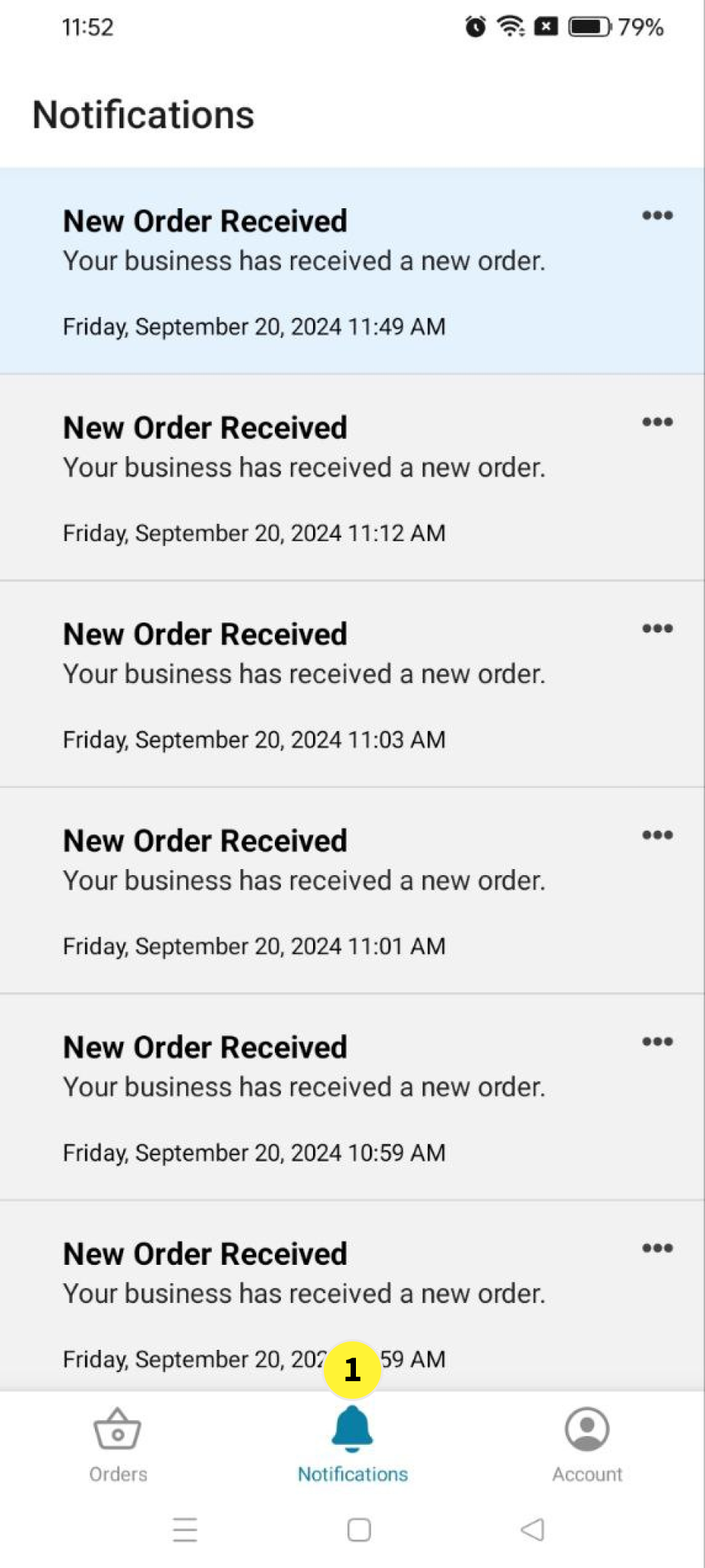
  1. Notifications: Where you can see the New Order Received Notifications

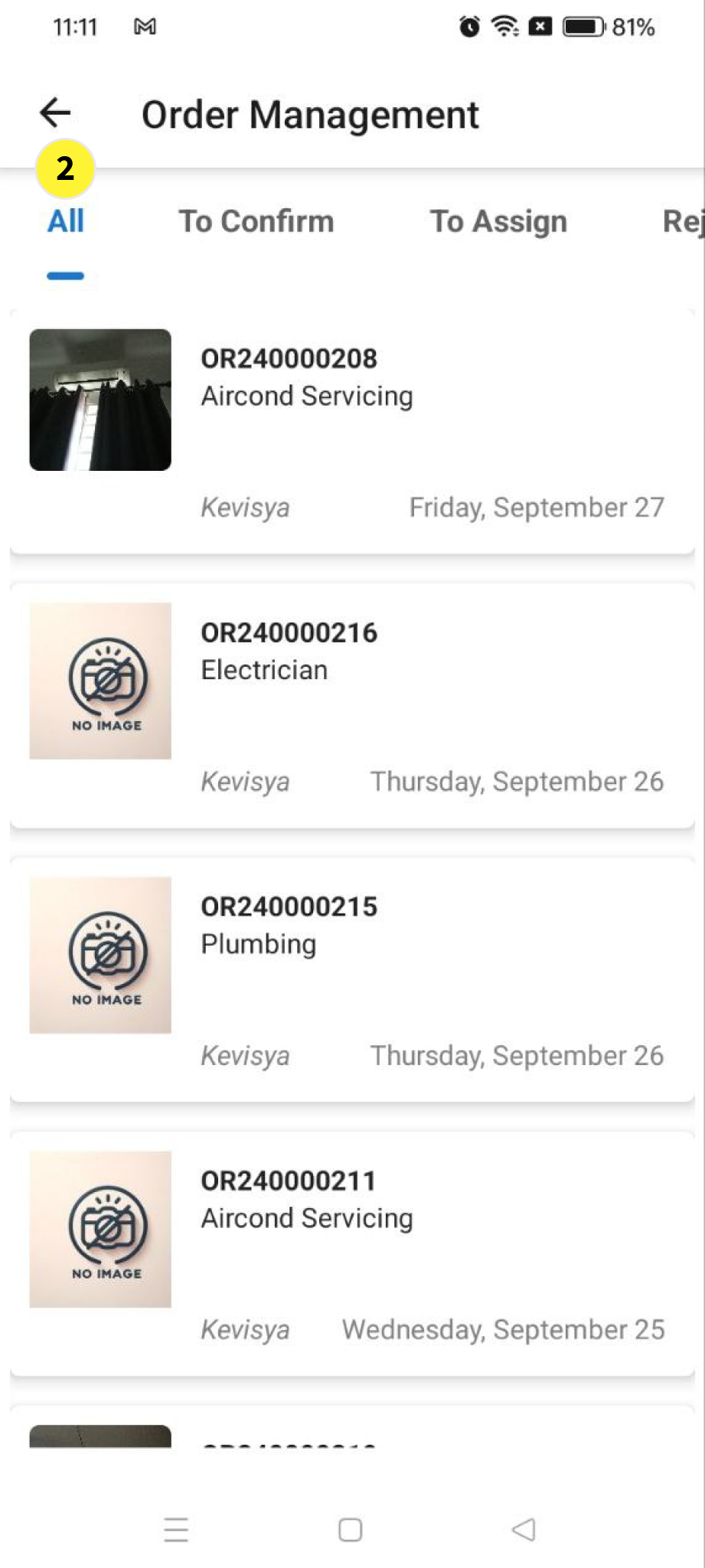
  2. In Order Management: You can see the received order in All

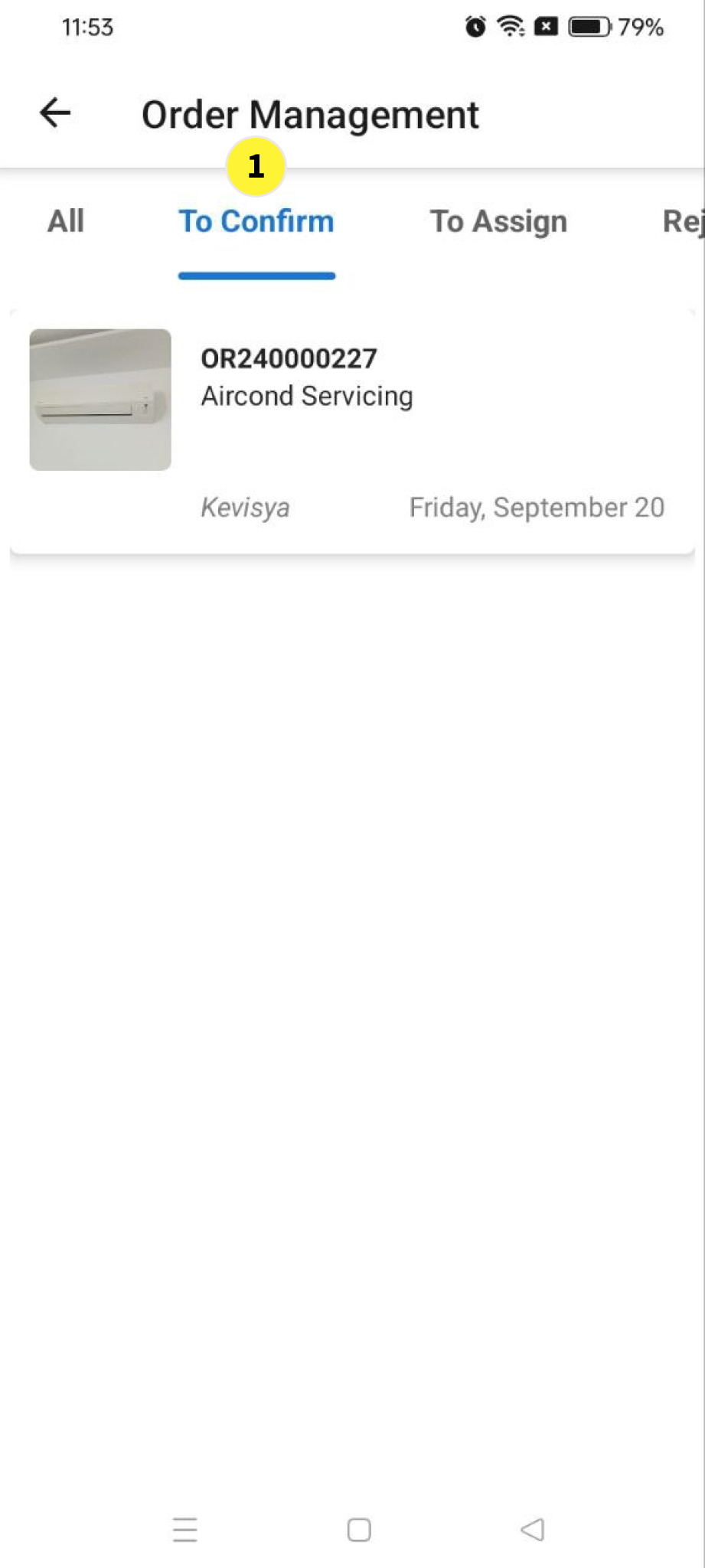
  1. In Order Management: You can see the order to confirm in to Confirm or Reject

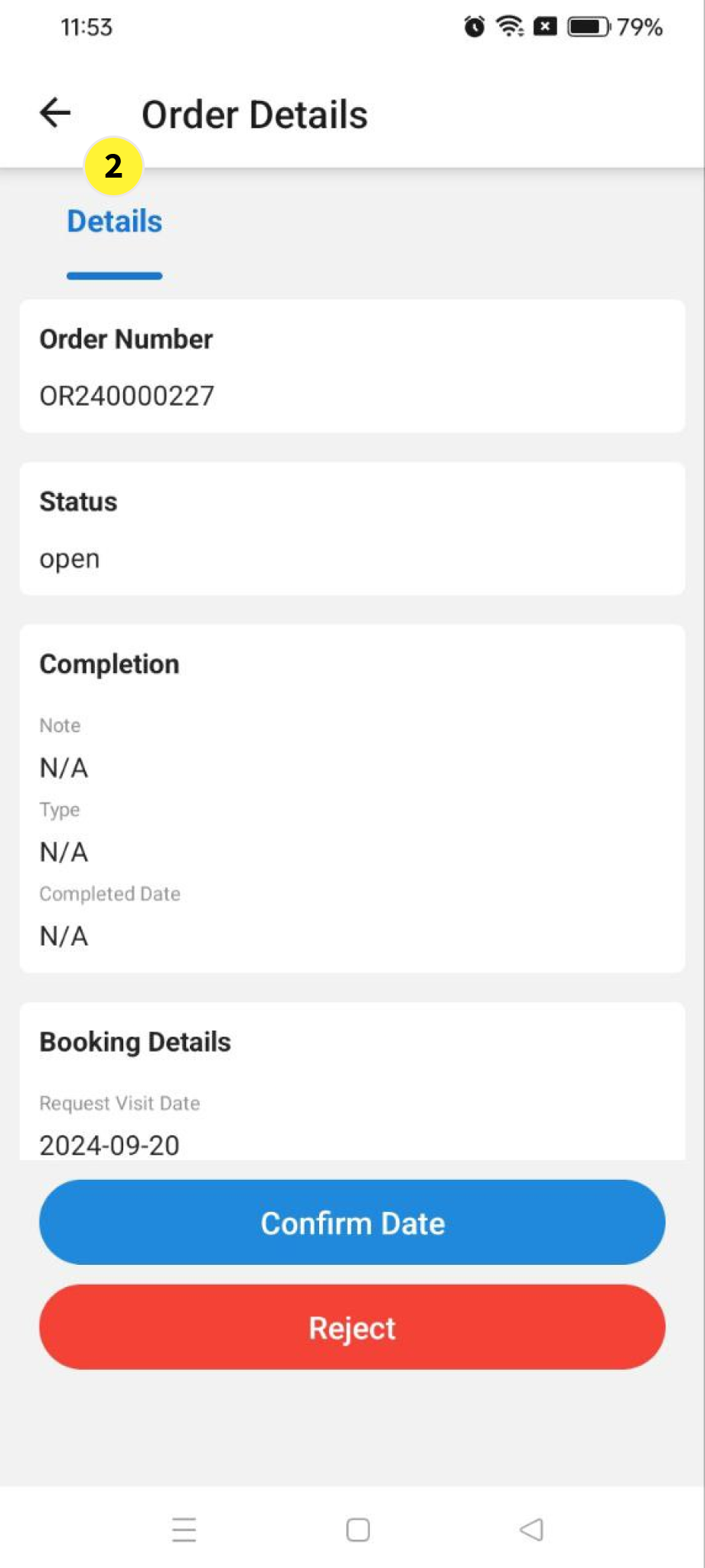
  2. You can see the order details before confirm the date

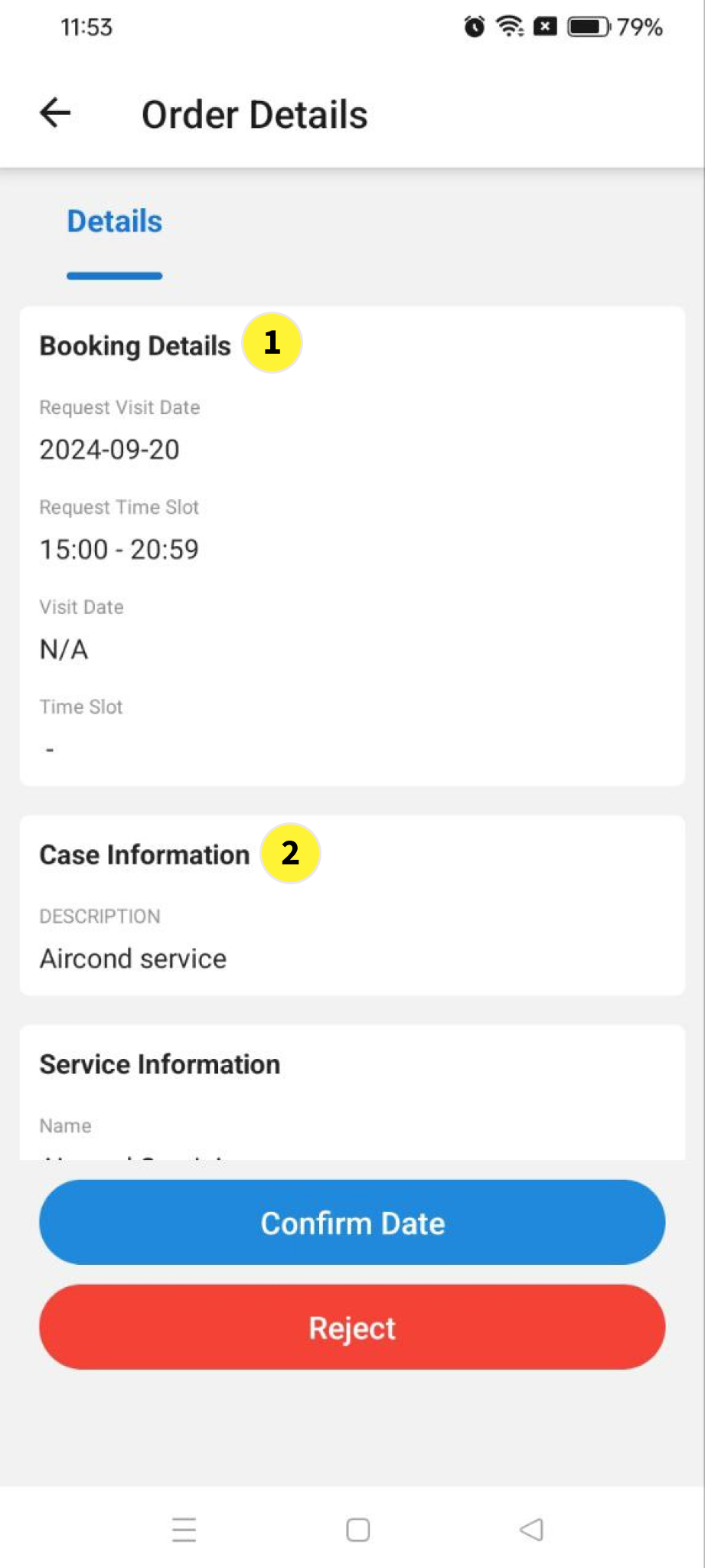
  1. Booking Details

  2. Case information

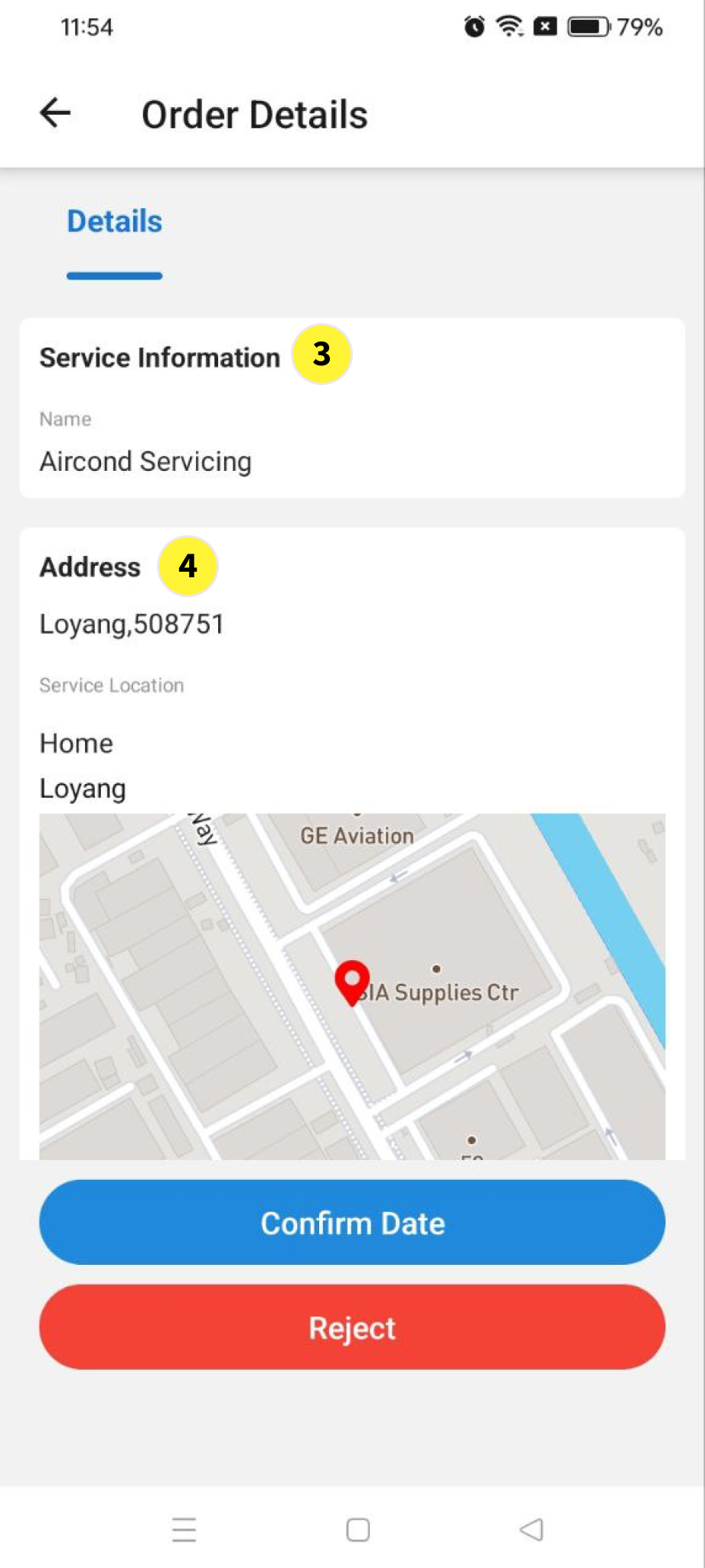
  3. Service information

  4. Address


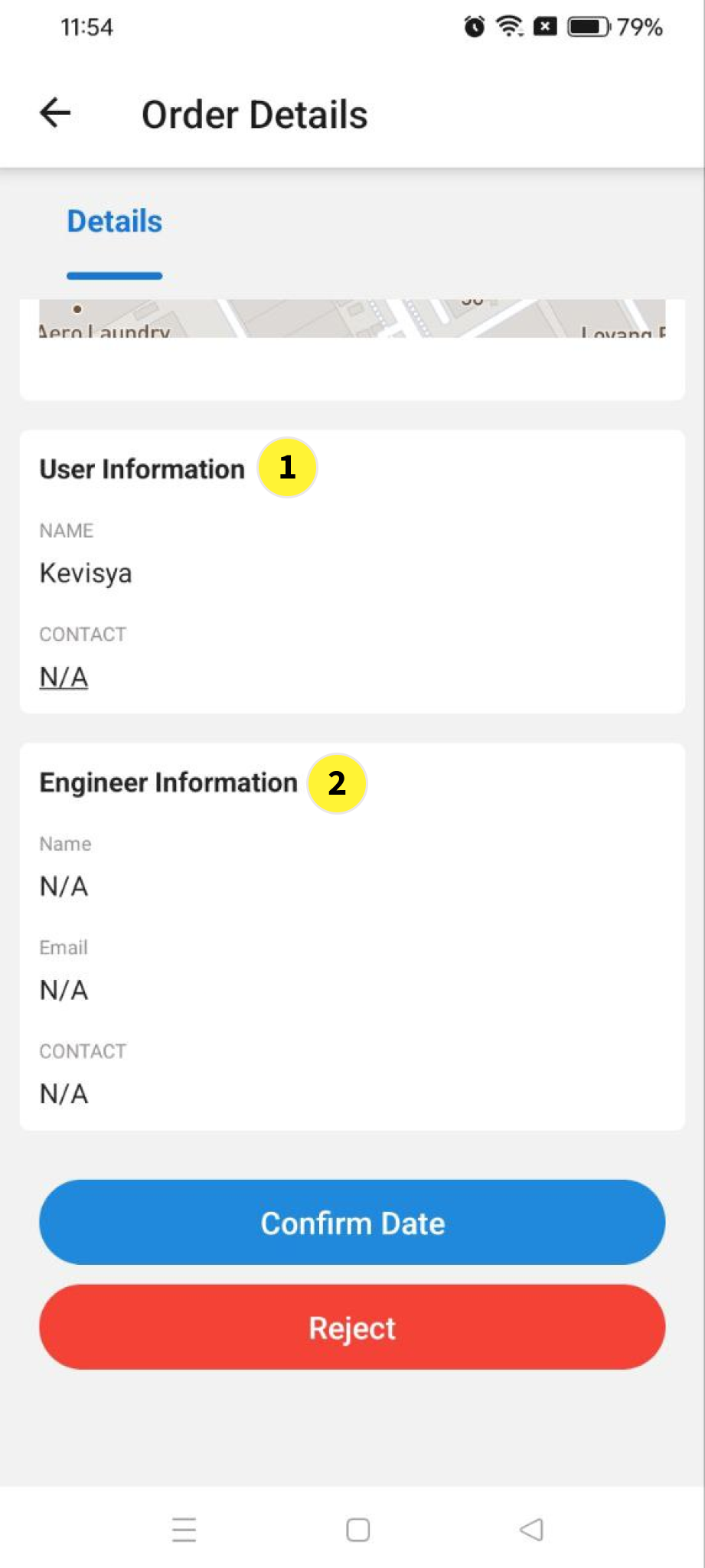
  1. User information

  2. Engineer information

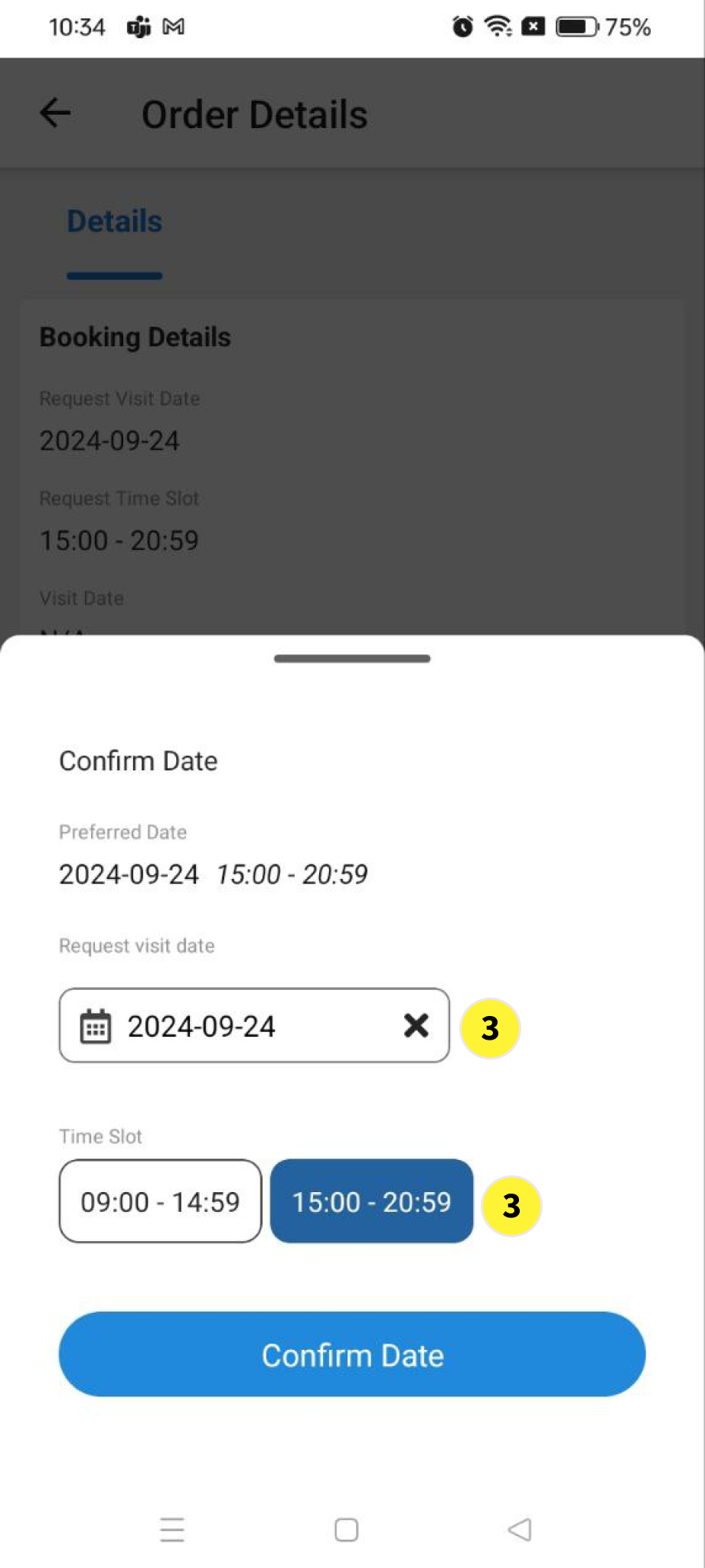
  3. Click Confirm Date by choosing date and timing

Engineer part begin

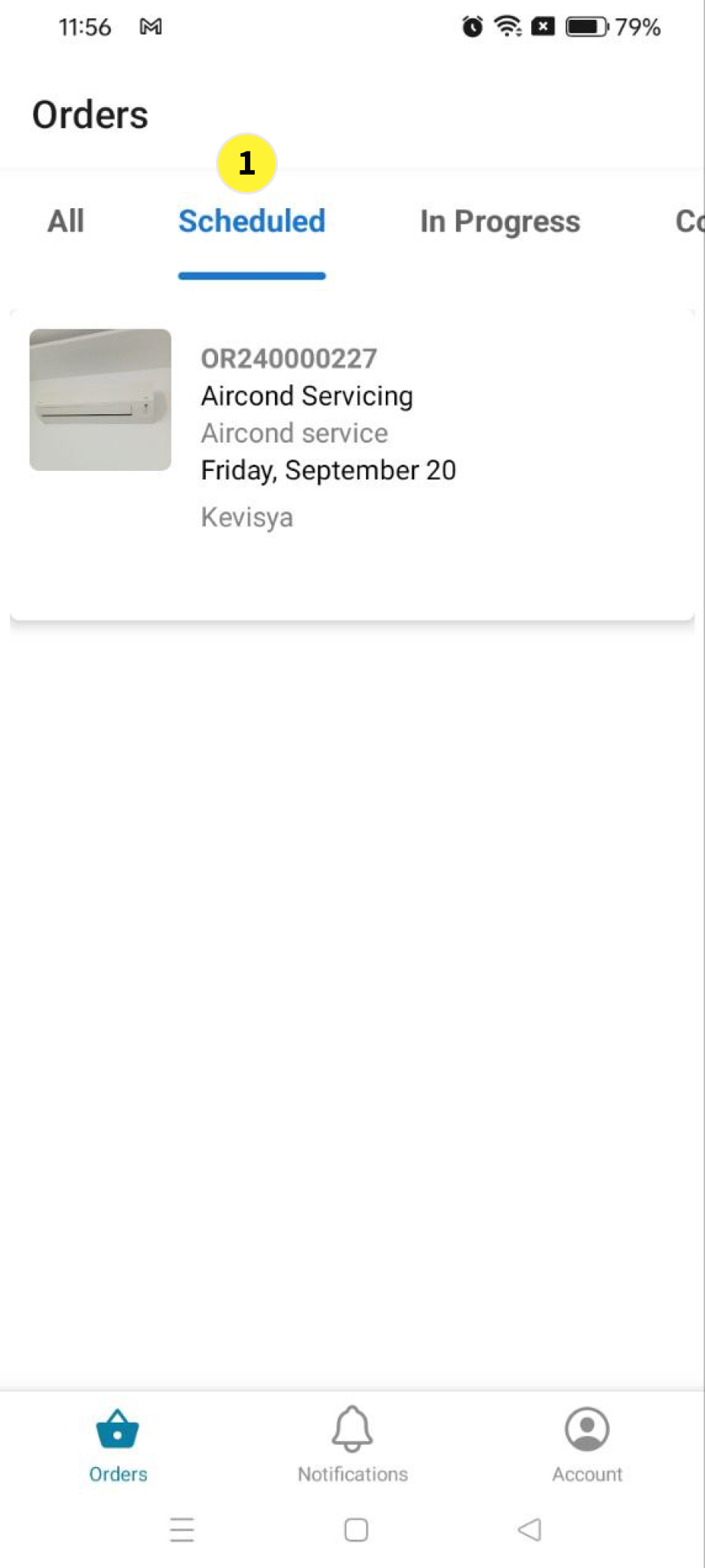
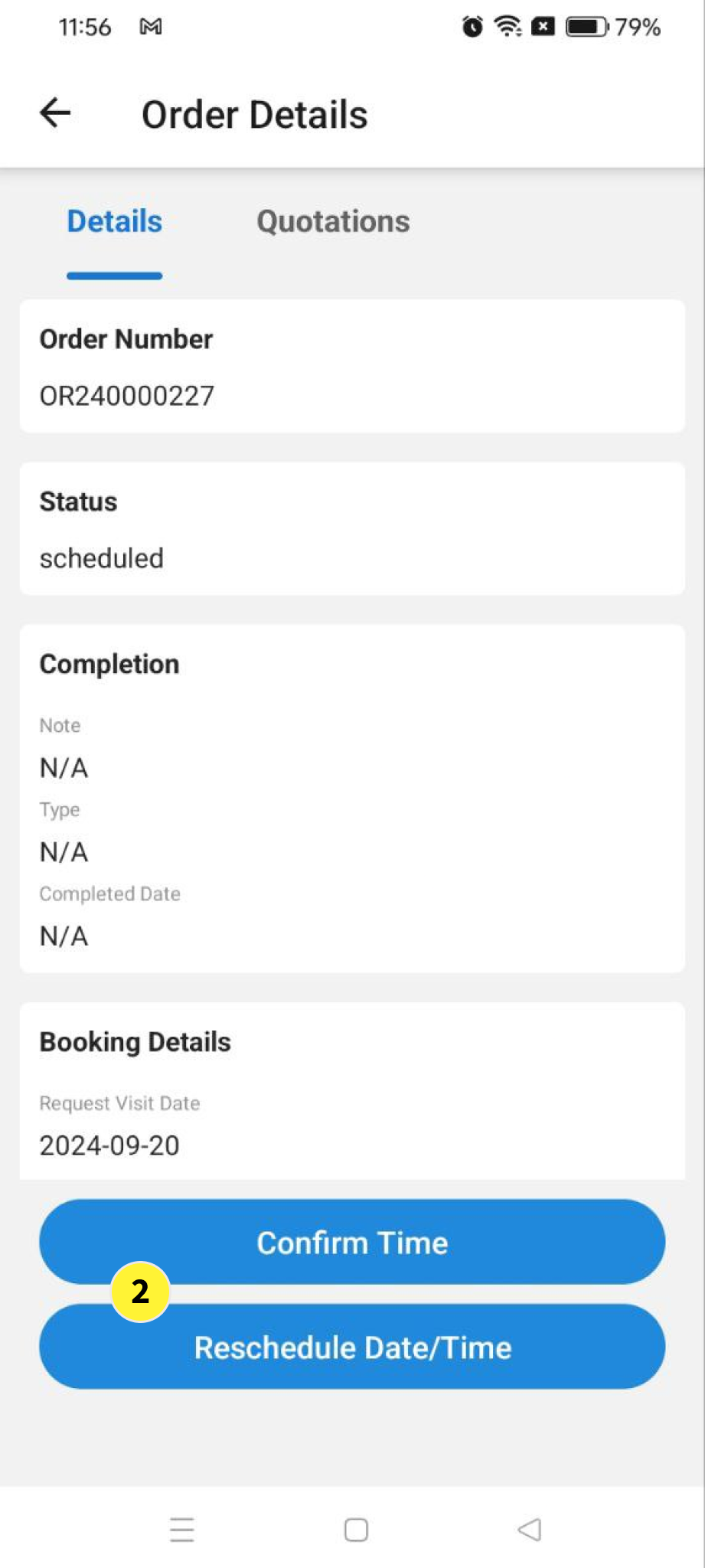
  1. In orders under Schedule tab, engineer need to confirm the time if able to attend on the user request date and time if not then engineer need to reschedule the date and time


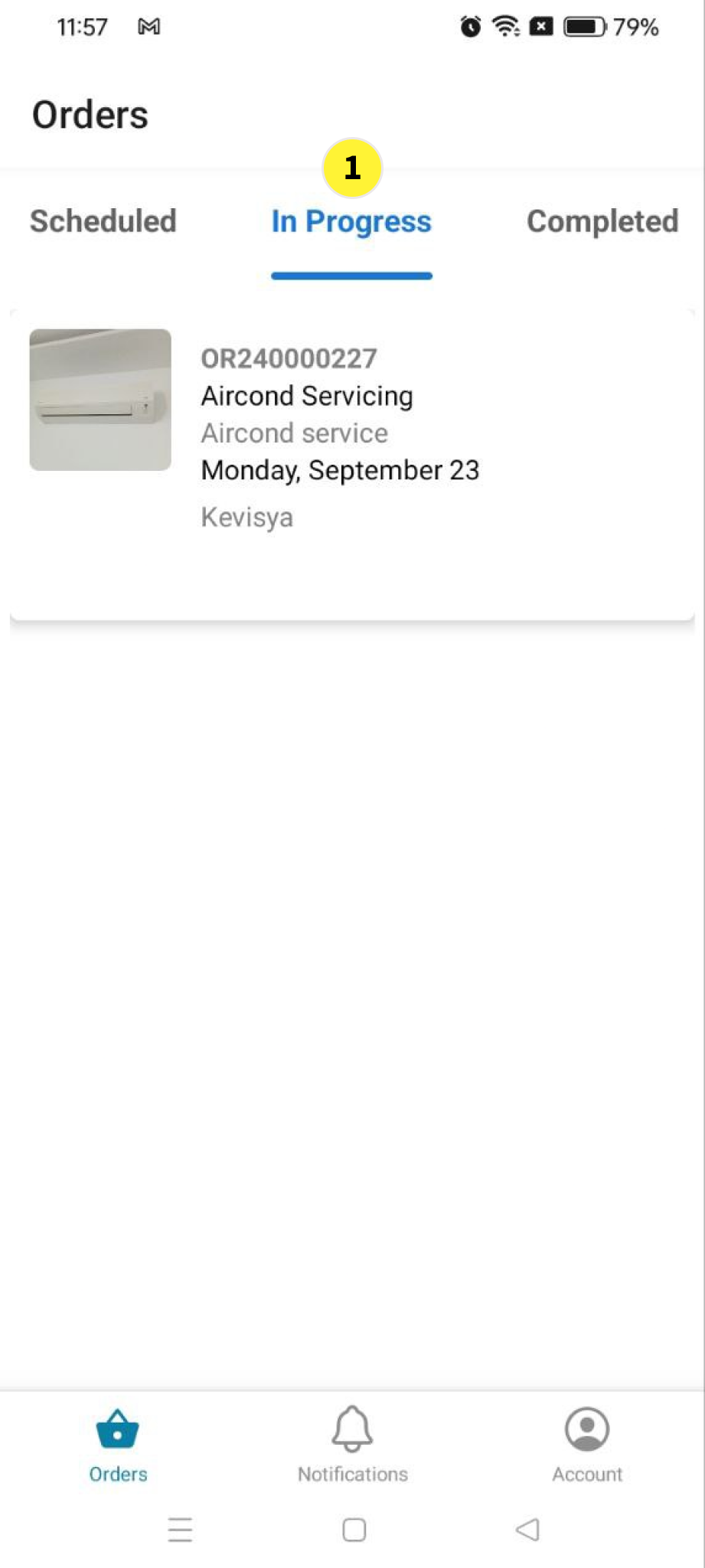
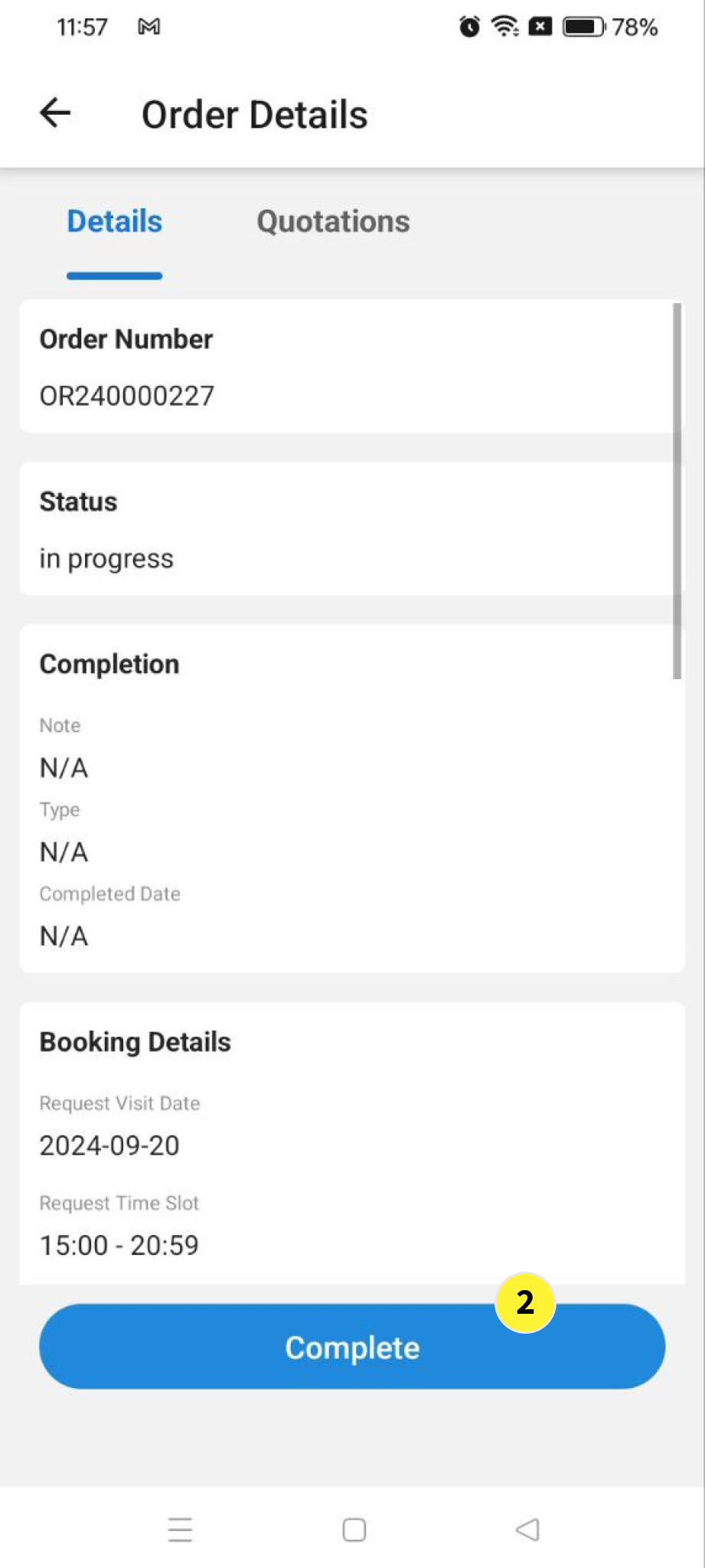
  1. In orders under In Progress tab, engineer must update Complete if the task assign completed.


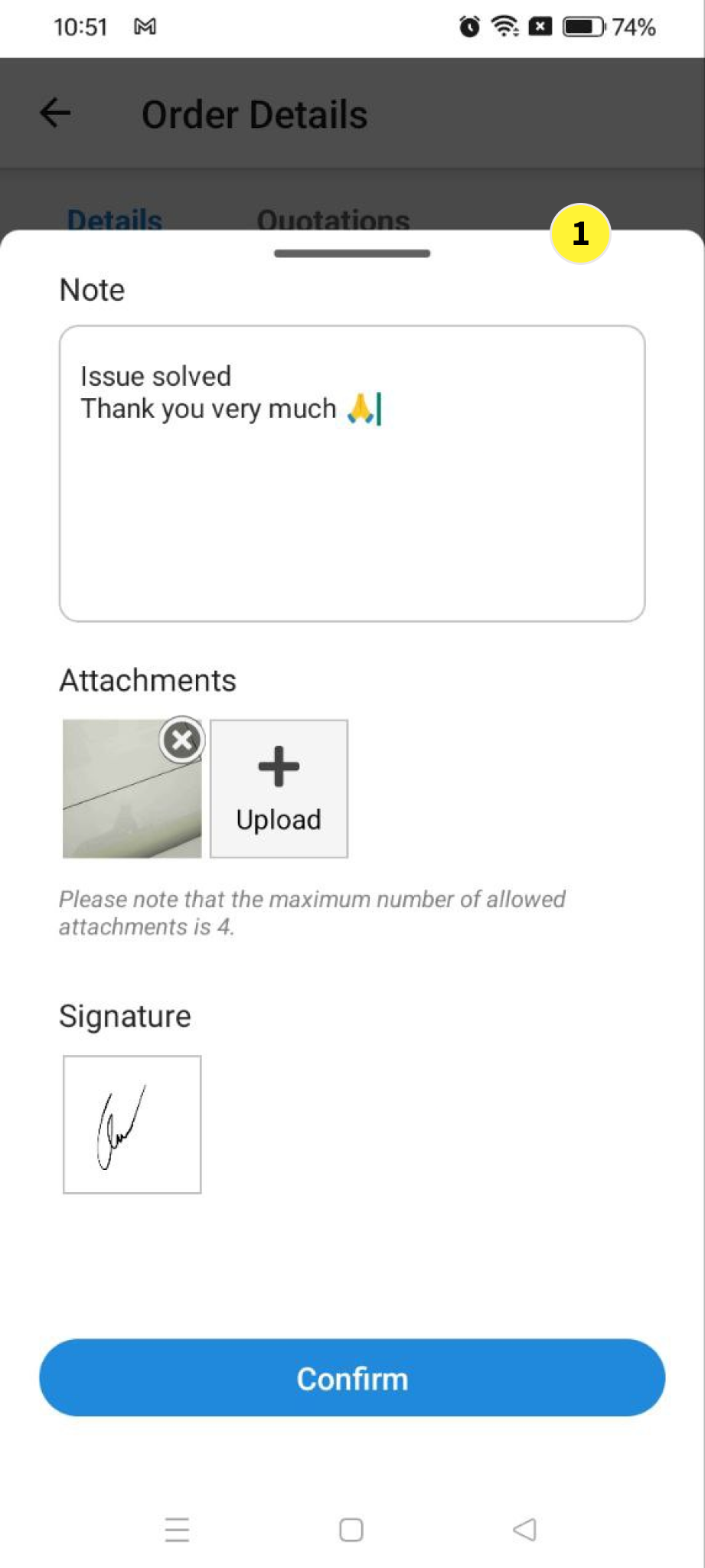
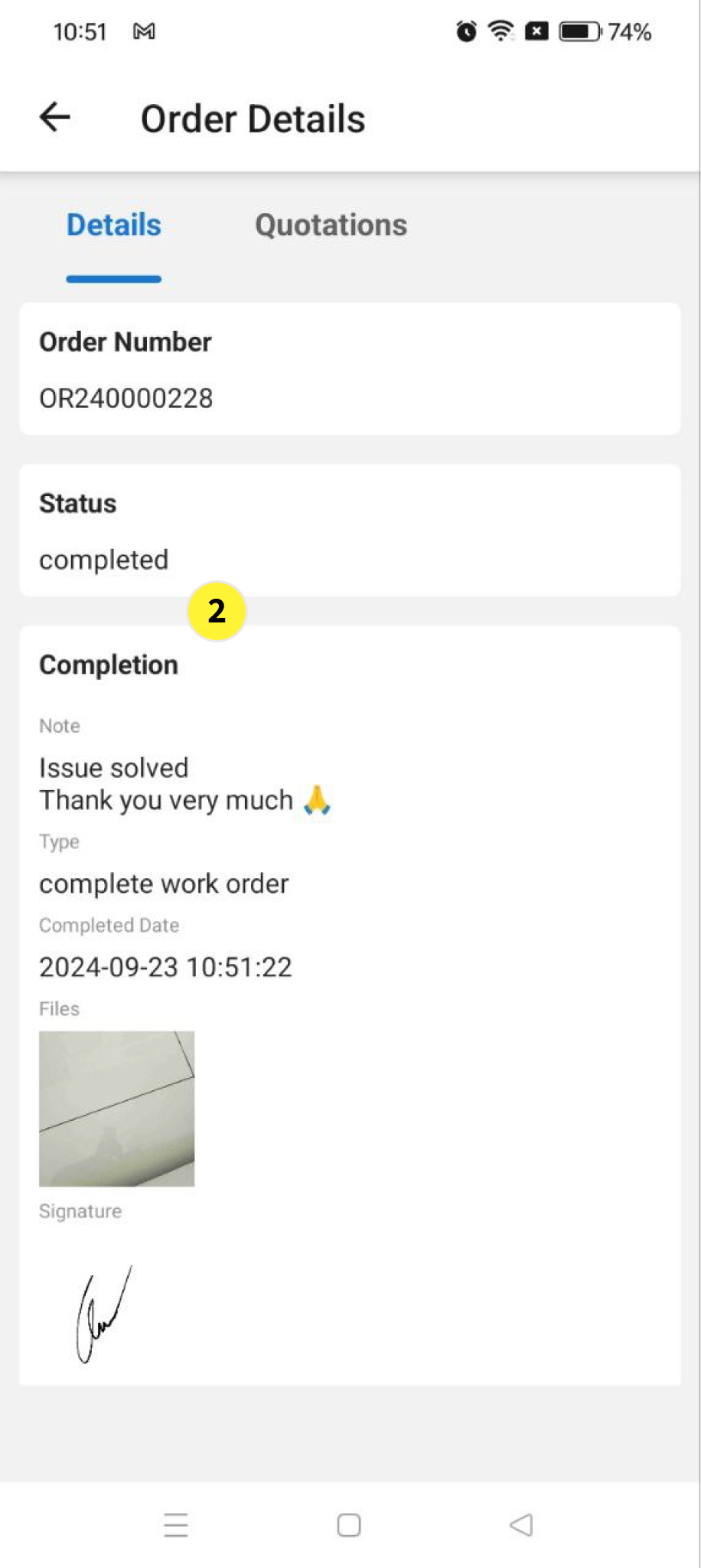
  1. To Complete the task Engineer must update Note, Attachment and Signature once the task assign completed.


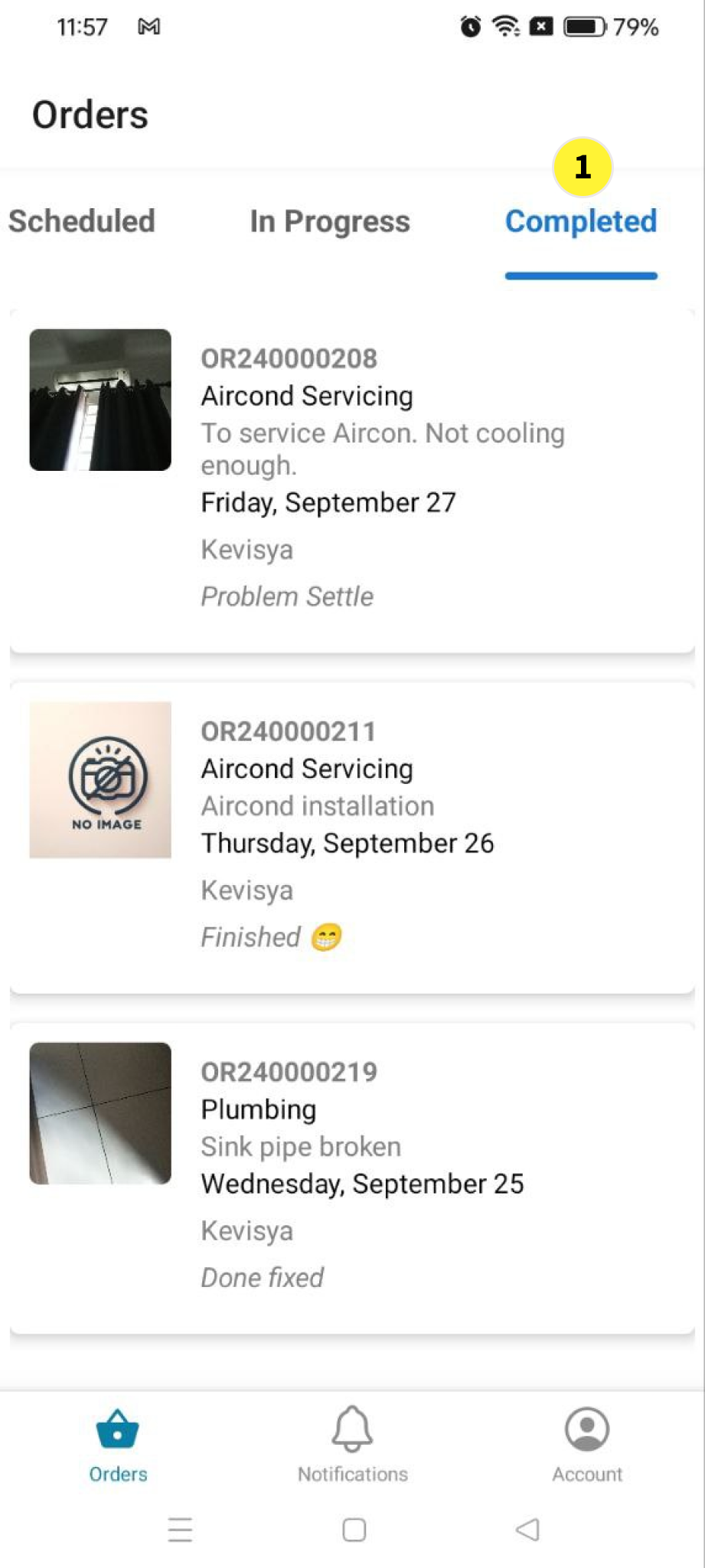
  1. In orders under Completed tab, engineer can view the completed task


Ending part for service provider

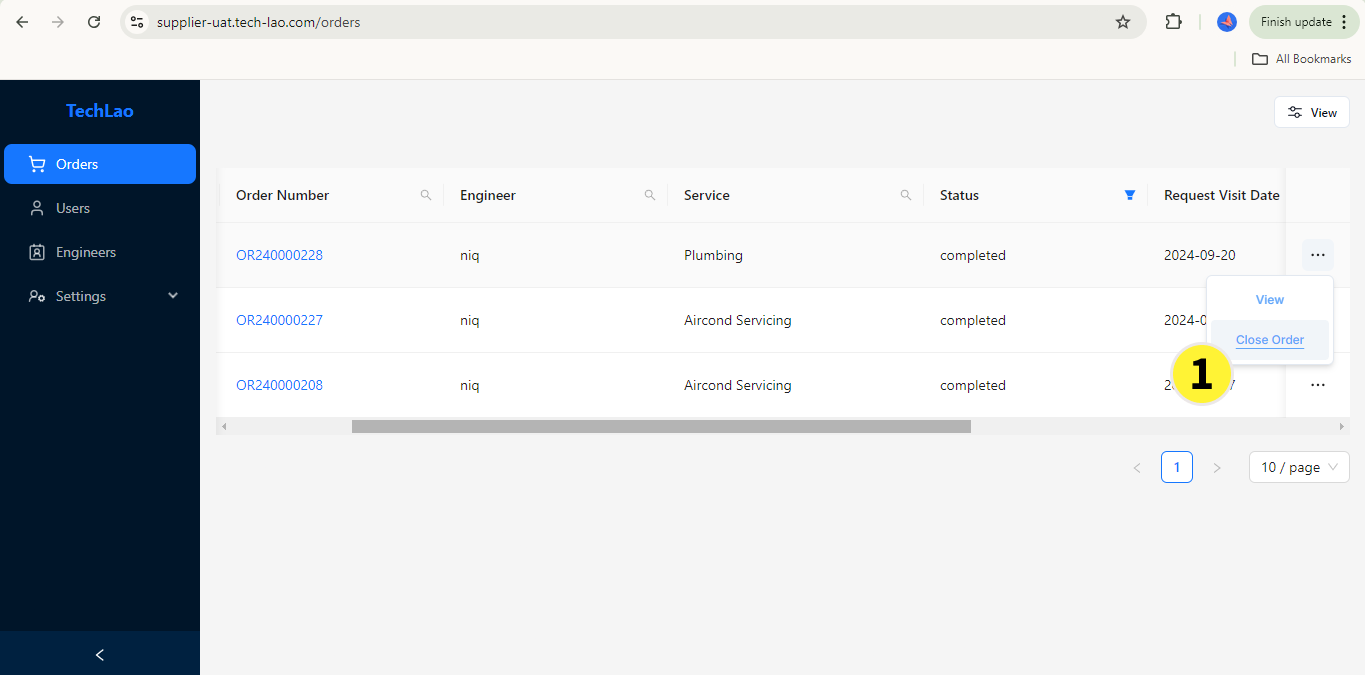
Filter status completed, click three dot at right select Close Order to closed the case to proceed bill


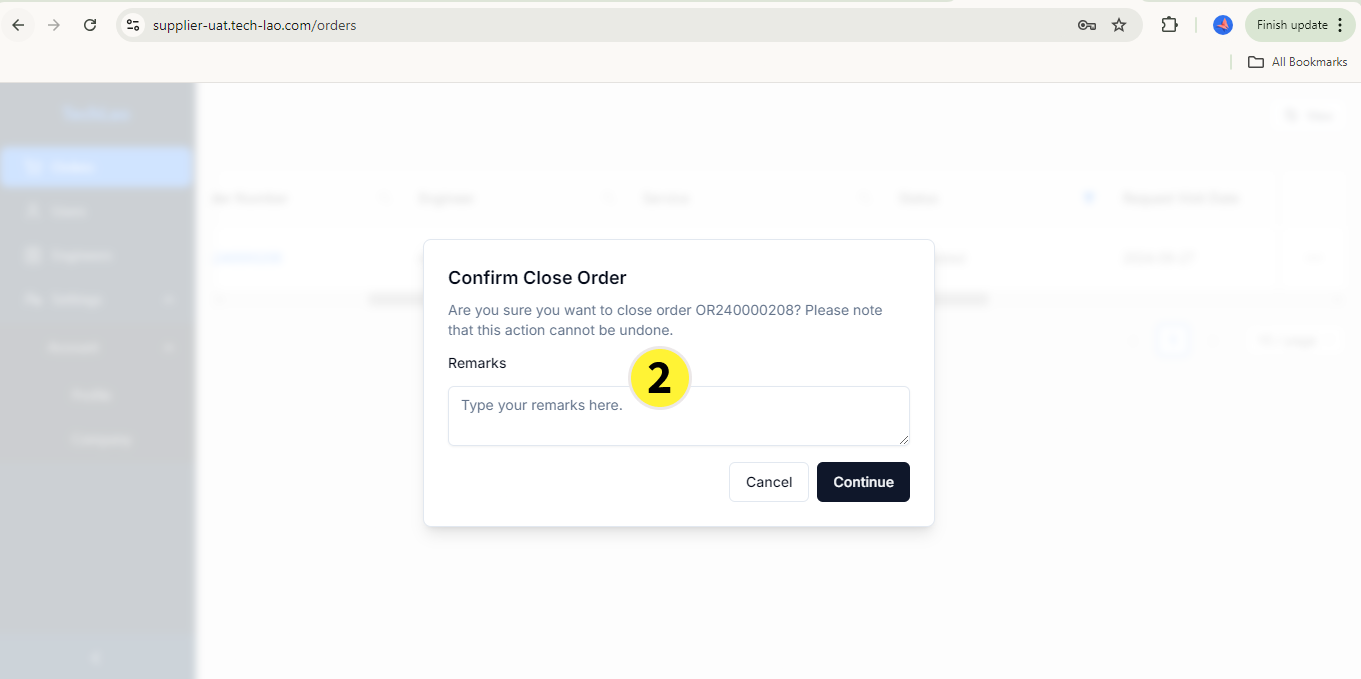
In Confirm Close Order, You can add Remarks